
The Roadmap to Digital Music Production
Welcome to Your Digital Music Journey
Making music on a computer - often called digital music production - is the process of using software and hardware tools to write, arrange, record, mix, and master audio into finished tracks.
Making music on a computer isn’t just a modern convenience - it is a creative revolution. For the first time in history, anyone with a laptop and curiosity can compose, arrange, record, mix, and release music that has the potential to stand shoulder‑to‑shoulder with professional productions. It has literally never been easier to make music on a computer than right now.
You don’t need a studio. You don’t need expensive gear. You need a starting point and a clear path - and that is what Embervane gives you.
Here, everything begins with clarity, creativity, and confidence. Clarity means cutting through the noise and showing you exactly what matters when you’re starting out. Creativity means giving you the tools and space to explore ideas without feeling overwhelmed or “not ready.” And confidence is the result - the feeling that you can open your DAW, make decisions, and actually finish music that you feel proud of.
This guide is designed to give you that foundation from day one. It is your first step into that world. Whether you want to make beats, score films, write songs, produce electronic music, or simply explore your creativity, everything begins with understanding the tools and habits that will help you develop your digital music creation skills.
Let’s start simple, clear, and with what you actually need.
Prefer to watch or listen? Check out the complete pathway video below, or continue reading below for the full deep-dive guide.
What You Actually Need to Start Making Music
The biggest myth in music production is that you need a room full of gear to get started. You don’t. You need three things, and two of them you probably already have.
1 - A Music Computer (Laptop or Desktop)
Any modern laptop or desktop works. You don’t need a powerhouse machine - just something stable enough to run a few tracks and plugins. Start with what you have and upgrade later when you know exactly what you need.

2 - A Digital Audio Workstation (DAW)
Your DAW is your creative command center. This is the software where you record, edit, arrange, and mix your music, and it is a critical part of making music on your computer. Think of it like a virtual mixing desk and recording studio. There are free options, paid options, simple options, and deep options.
There are quite a few different options out there and choosing a DAW based on your individual needs is a great place to start.
3 - Studio Headphones
A decent pair of headphones that can translate is enough to begin. With a solid pair of headphones, you don’t need studio monitors, and you don’t need acoustic treatment. You just need something that lets you hear your work clearly, and that is where the headphones come in the picture.
Optional Gear & Audio Interfaces
MIDI keyboards, audio interfaces, microphones, and controllers are great - but technically optional if you are just looking to get started. Sure, they can make the process of creating music more efficient, but they enhance your workflow, not define it.
In the beginning, it is important not to get overwhelmed with 'too many buttons' to press. If that happens, the human brain tends to just bypass a lot of stuff, and that is not great for your long-term music journey.
Stay focused on the essential gear for home music production to start and you will establish a solid base for the future.
A Note About Audio Interfaces
One common piece of 'next gear' for music producers is an audio interface. This is especially critical if you are going to be recording things like vocals through a microphone or perhaps a guitar through either a direct input or using an instrument microphone.
An audio interface is the bridge between the real world and your computer. Its job is to take the sound coming from a microphone, instrument, or any external source and convert it into clean, usable digital audio your DAW can record. It also handles the reverse: sending high‑quality audio back out to your headphones or speakers with lower latency and better clarity than your computer’s built‑in sound card.
And that audio interface also provides amplification for the sound it is outputting to your cans or speakers. In practical terms, an interface gives you better sound, more control, and the proper connections you need to record music without noise, distortion, or delay. It’s the quiet, reliable middleman that makes every part of the recording process feel smoother and more professional.
But understanding audio interfaces doesn't have to be complicated when you focus on your specific needs.
Starting with the Basics
Starting with the basics isn’t just the simplest path - it’s the most powerful one. When you limit your setup to a computer, a DAW, and a pair of headphones, you remove every distraction that keeps producers stuck. You give yourself room to learn the core skills, experiment freely, and build confidence without feeling like you’re “doing it wrong.”
It is also important to avoid wasting money when setting up your home studio, so be sure that any tools you buy at this stage are purposeful and necessary. Skills first, then gear to supplement.
As you grow, you’ll naturally discover what tools actually matter for your workflow and what gear will genuinely make your music better. That’s when upgrades become meaningful instead of overwhelming. Begin with the essentials, get comfortable, and let your setup evolve as your creativity does.
Not everybody starts with the same amount of money, and gear doesn't come for free. When you lock down your budget, you can line that up with the kind of priorities within those home studio cost tiers to plan your setup systematically.
Let's dive a little deeper into the DAW (Digital Audio Workstation) part of things.
What Is Music Production? (Understanding the DAW)
Music production is the end-to-end process of taking a musical idea from an initial concept to a finished, release-ready audio recording. It covers composition, arranging sound layers, capturing performances, editing timing, and shaping the final tonal balance. In the modern era, the vast majority of music production takes place entirely inside computer software called a DAW.
A DAW (Digital Audio Workstation) is the heart of modern music creation. Think of it as your recording studio, mixing console, virtual instrument rack, and creative canvas all housed within a single software interface. It serves as the primary digital workspace where every phase of production - from the first MIDI note to the final audio export - comes together.
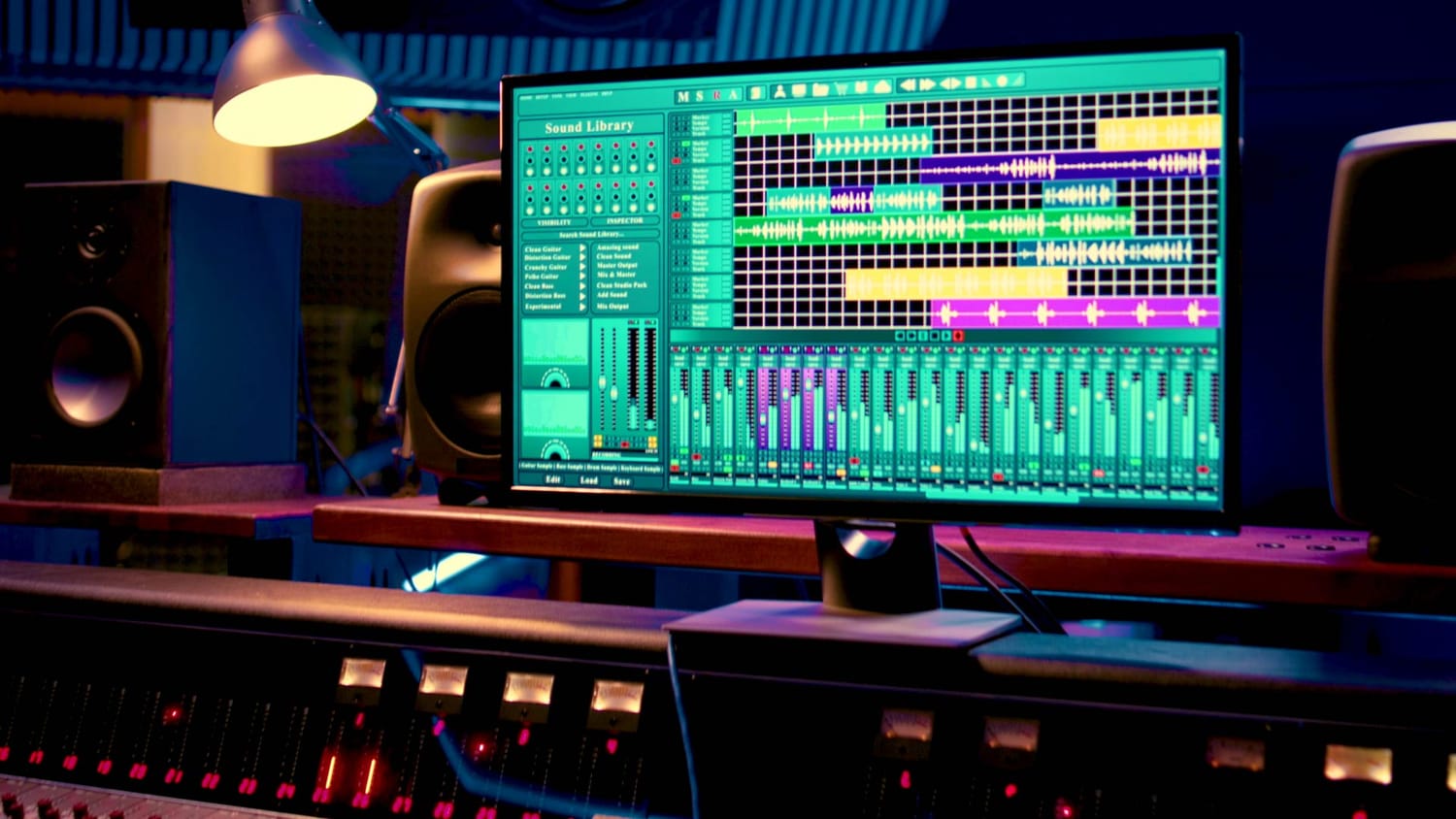
Inside a DAW, you can:
record audio
program MIDI
arrange ideas
edit performances
mix your tracks
add effects and instruments
shape your sound
Every genre, every workflow, every creative style lives inside the DAW. This is where ideas become songs, and that is the embervane in action.
You don’t need to master everything at once. Most people only use a small portion of their DAW at first - and that’s exactly how it should be. Learn one tool at a time. Build confidence and let your skills grow naturally.
When I started, I had a simple loop-based DAW. As my needs evolved, I moved to a more instrument-friendly one, but the skills I built early on carried forward and grew with me.
When you have your DAW chosen and are ready to dive in and get to work, it is important to understand how setting up your DAW and building custom DAW session templates can streamline your creative process.
Plugins, Virtual Instruments, Samples and Loops
Some words that are going to come up when you are diving into music production are plugins, virtual instruments, samples and loops. I want to take a moment to lay down some definitions for these terms so you are clear on them.
Plugins
While the DAW is the command center for music production, plugins are the audio effects (EQ, compressors, reverb, etc.) and virtual instruments (synthesizers, drum machines, etc.), that you plug into the DAW. Every major DAW comes with stock plugins that are more than enough to get started in music production.
Virtual Instruments
Virtual instruments are a specialized form of plugins designed to generate sound, which can be done in a number of ways but normally results from some kind of controlled triggering of samples.
Samples
A sample is a recording of something - that's it. These are pre-recorded audio files that are dragged into your DAW and arranged where you want the sample to trigger.
Some virtual instruments trigger samples to make sounds that you can control. And in the world of samples, you are normally going to work with one-shots, single play-through non-looping audio files, and loops.
Loops
A loop is a sample that has been configured to repeat seamlessly if played back-to-back with itself. Drum loops are a very common part of music for new producers. Loops allow a music producer to cover a lot of ground pretty quickly and can be useful for scratch tracks, tracks that are setup to be replaced later by something more fitting to the song.
The Core Skills Needed to Be a Music Producer
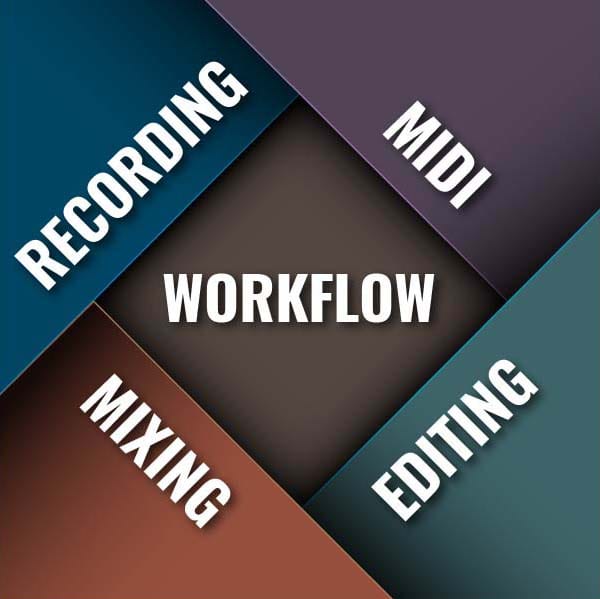
As you begin making music on your computer, you’ll naturally develop five foundational skills.
Recording
Recording means capturing sound, whether vocals, instruments, or simple ideas, through a microphone. Microphone selection, placement, and phase are key aspects of this skill.
Editing
Editing means tightening timing, shaping takes, and refining performances. It also means manipulating audio files to slice parts out, modify syllables of a recording, etc. If you work with loops, this is a key skill, but it is also heavily used in vocal editing, for example.
MIDI & Virtual Instruments
MIDI (Musical Instrument Digital Interface) is the language through which virtual instruments can be controlled. A virtual instrument exists inside the computer and reads MIDI note information to output sound. This skill covers controlling virtual instruments, writing melodies, building chords, and creating rhythms without needing traditional instrument training.
Mixing & Signal Processing
Mixing is a skill that covers balancing track levels, shaping tone, adding depth, and making your music feel polished and intentional. Signal processing is the use of audio plugins and processing to sonically modify and apply effects to sounds. The skills required in these two areas work together to create a final single output file for a song.
Creative Workflow
Your creative workflow skill is all about learning how to build a productive music process which will help you start, develop, and finish music consistently; a core Embervane focus.
Building your workflow is very important part of music-making. It is one of those 'hidden' things that can make a massive difference over time. It helps you to make better songs, make more songs, and spend more time in the creative flow state.
Pairing a structured music practice routine with these workflow habits will give you the consistency required to learn how to write a song, taking an initial idea to your final arrangement.
Frequently Asked Questions
How much does it cost to set up a home music studio?
The cost to set up a studio can range greatly, but that all depends on what need versus what you might want. If you are looking for high-end speakers and acoustic treatment, the cost goes up. If you are looking for a minimal setup that is lean and mean, then the cost goes down. The truth is this: there is a range of different budget tiers, and it is important to consider your finances as well as your end goals.
Do I need a MIDI controller to make music?
No, you can draw notes manually using your mouse and your DAW's piano roll. You could also drag and drop MIDI files from MIDI packs and manipulate them with your mouse. However, using a MIDI controller speeds up the workflow significantly.
How do I keep from getting frustrated when making music?
Working on any creative endeavor can get tough - it's the plain truth. But there are ways to help train your mental resistance and keep focused even when the going gets tough. A big part of staying motivated as a music producer is avoiding the mind traps that can get you stuck.
How do I write my first song with zero experience?
If you are staring at a blank DAW screen, the trick is to break the process down into repeatable steps rather than waiting for inspiration. When learning how to write a song, I recommend that you start with bite-sized steps to help keep learning and forward momentum strong.
In which room in my house should my music studio go?
Depending on your path of either headphones or speakers, you can have more or less flexibility when it comes to the room that is your musical workshop. Choosing the right space for your home music studio needs to be a balance of vibe and function, so choose carefully.
How to Learn Music Production: Where to Go Next
You don’t need to learn everything today or try to master your DAW this week. Give yourself the grace of time as you progress along this journey.
What you do need is momentum.
That means getting your feet wet and finding your footing with your DAW its tools. Start simple. Build confidence. Learn one tool at a time.
When you are ready to go deeper, explore the guides below. Each one expands on a key part of your journey and helps you move forward without getting overwhelmed:
Learn the essential tools, concepts, and software setup required to successfully launch your first digital music-making session and make a song.
Learn the essential tools, concepts, and software setup required to successfully launch your first digital music-making session and make a song.
Cut through the equipment noise and discover the core hardware essentials needed to build a budget-friendly home studio.
Cut through the equipment noise and discover the core hardware essentials needed to build a budget-friendly home studio.
Learn how to set up your home studio without wasting money on gear that is not necessary at the start.
Learn how to set up your home studio without wasting money on gear that is not necessary at the start.
Establish an efficient creative routine, organize your session templates, and remove the technical friction that stalls your tracks before they get finished.
Establish an efficient creative routine, organize your session templates, and remove the technical friction that stalls your tracks before they get finished.
Ready for the Next Stage of Production?
Discover how to balance volume levels, carve out frequency space, and use core processing tools to transform raw tracks into a polished, professional mix.
Once your studio is set up and your sessions are organized, head over to our complete guide on balancing levels, carving out frequency space, and polishing your final tracks.
Downloadable Resources
To help you get started with confidence, you can download:
A comprehensive 33-page roadmap outlining the step-by-step process to take a song from an initial idea in your head all the way to completion.
A comprehensive 35-page roadmap outlining the step-by-step process to take a song from an initial idea in your head all the way to completion.
A quick-start field guide breaking down the steps to get your first DAW session up and running so you can start making music. Includes a foundational glossary as well.
A quick-start field guide breaking down the steps to get your first DAW session up and running so you can start making music. Includes a foundational glossary as well.
These resources give you a simple, structured path to follow as you begin your creative journey.
Final Encouragement & Maintaining Momentum
You do not need gear.
It is important to understand that getting started with making music on your computer does not actually require lots of gear - you could get started just with that all-important DAW software and a computer mouse. Sure, additional gear and extra software can help make the journey more customizable, but that is for the road ahead. Right now, your focus should be on going through the material here and getting your foundation set up, because a strong foundation and a good mindset will carry you very far indeed.
You do not need experience.
Just like gear, you do not actually need experience to make a song. Will understanding things like music theory and how instruments work together help you? Of course... but you don't need that to start making music on your computer. Instead, you just need to give yourself the grace of patience as you learn your DAW of choice and then figure out how to use the tools available to you to begin putting music together.
And don't worry, because even if that feels foreign at the beginning and you go a listen to a song on Spotify and it blows you away and the weight of the distance between where you are right now compared to where that song is starts to hit, then just give yourself a moment to take a breath and remember that everybody started at the beginning, no matter who they are. It is so very critical in the world of creative expression to avoid comparing your growth with anyone else's. Keep that in mind as you develop your skills and hold onto that excitement of how much you can grow.
There is this thing called a Metacognitive Awareness Gap (or "Taste Gap") that is the difference between what we can perceive or judge and what we can produce. And this is totally normal - you are going to get to a spot pretty early on where you can hear songs that are better than what you can make yourself.
You could throw your hands up and give up during this frustration phase... or you could know that this is coming, and recognize it as part of the journey to better skills. When you hit this point, you are taking a very necessary step toward closing the gap between your taste and your ability.
You just need momentum.
With a strong foundation, the next most important thing to forward movement is to have momentum. Have you ever noticed that it is hard to start a new behavior but the longer you do it, the easier it becomes to maintain that behavior? That is called inertia - a physics term that essentially says when someone is not moving it is hard to get moving and when someone is already moving it is harder to stop.
This information is meant to help give you not only a foundation but also provide a direction. The momentum comes from you - showing up as frequently as you can and honing your skills. Letting the embervane ignite within you and point you where you need to be going.
You are not alone. You have a clear path. You have a system. You have a guide.
Found this guide helpful?
Spread the word and share with another creator.
> Next Main Topic
About the Author

Jim is the creator of Embervane - a lifelong music maker with a curiosity‑driven approach to creativity and learning. He has been playing drums since age nine and composing seriously since 2018, continually refining his craft through study, experimentation, and hands‑on practice.
With a background in chemistry and more than two decades of studying behavioral psychology, Jim brings a unique blend of scientific thinking and human understanding to music education. He beta‑tests tools for companies like Mastering the Mix, Kit Plugins, and Soundiron, which keeps him close to the evolving landscape of modern production.
Jim isn’t a celebrity producer or award‑winning engineer - he’s a creator who remembers exactly what it feels like to struggle, learn, and grow. His mission is to help other music makers build clarity, confidence, and momentum in their craft.
Jim is the creator of Embervane - a lifelong music maker with a curiosity‑driven approach to creativity and learning. He has been playing drums since age nine and composing seriously since 2018, continually refining his craft through study, experimentation, and hands‑on practice.
With a background in chemistry and more than two decades of studying behavioral psychology, Jim brings a unique blend of scientific thinking and human understanding to music education. He beta‑tests tools for companies like Mastering the Mix, Kit Plugins, and Soundiron, which keeps him close to the evolving landscape of modern production.
Jim isn’t a celebrity producer or award‑winning engineer - he’s a creator who remembers exactly what it feels like to struggle, learn, and grow. His mission is to help other music makers build clarity, confidence, and momentum in their craft.


©2026 Embervane LLC. All rights reserved. Embervane™ is a trademark of Embervane LLC.