
Best Headphones for Music Production (That Actually Translate)
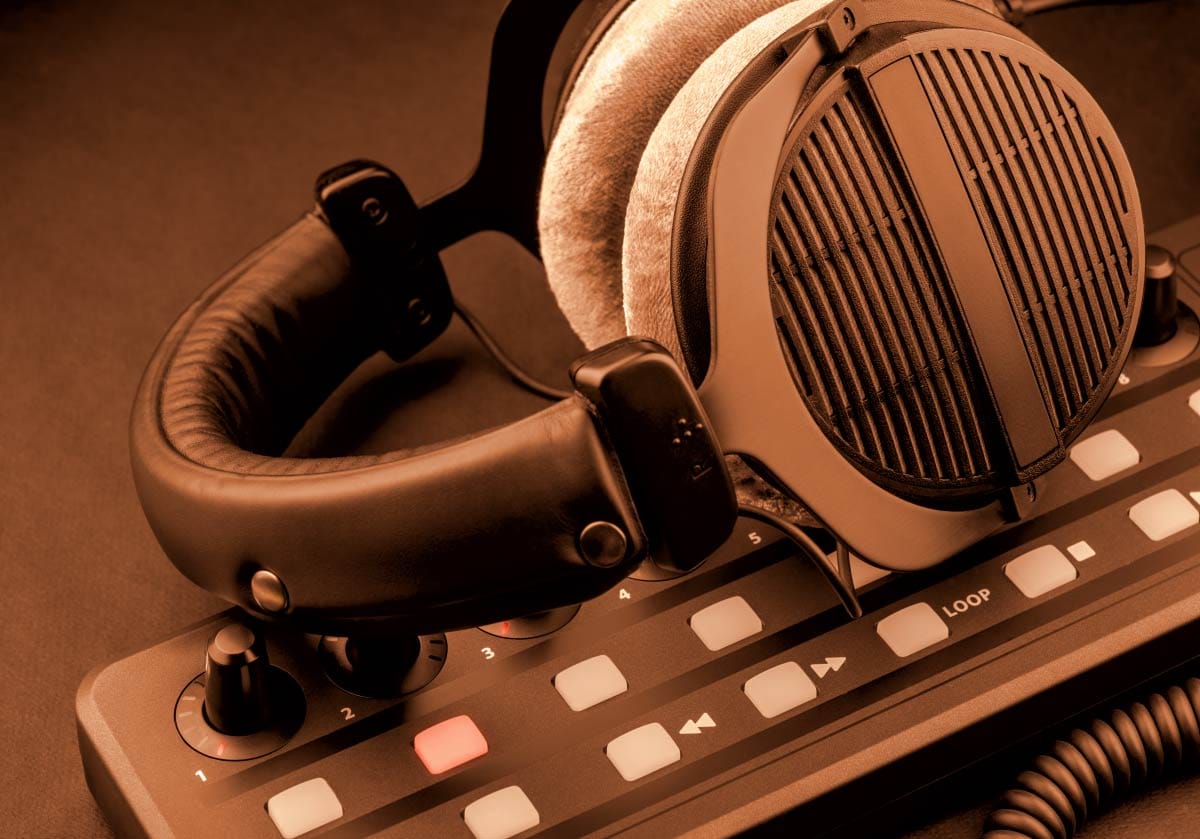
Lost in Translation?
Have you ever made a banging song on your headphones only to play it on someone else's system and the bass was all kinds of muddy?
When you’re starting out in home music production, headphones feel like the simplest purchase in the world. You plug them in, you listen, you make music. But anyone who’s tried to mix a track on consumer headphones knows the truth: most headphones lie to you. That's right - they lie!
They hype the bass. They scoop the mids. They sparkle the highs. They make your mix sound incredible - until you play it in the car, on earbuds, or through studio monitors and realize everything fell apart.
Before breaking down individual monitoring specifications, it’s critical to remember that your headphones don't operate in a vacuum - they are one component of a unified tracking and mixing environment. To ensure you are building a balanced, bottleneck-free studio setup when scouting out your starting gear to produce music, keep this in mind as your foundational blueprint before you buy.
This article is your guide to headphones that actually translate - meaning the decisions you make while wearing them hold up in the real world. I will break down the fundamentals, explain what matters (and what doesn’t), and give you model recommendations so you can buy confidently.
Let’s get into it.
Prefer to watch or listen? Check out the video below, or continue reading below for the full deep-dive guide.
Open-Back vs. Closed-Back Headphones for Mixing & Recording
Before you even think about frequency response curves, comfort, or price tiers, you need to understand the single most important design choice in studio headphones: open‑back vs. closed‑back. This one decision determines how your headphones behave, how your mixes translate, and what role they’ll play in your home studio.
Most beginning producers don’t know the difference - and that’s exactly why their mixes fall apart outside the DAW. Let’s fix that.
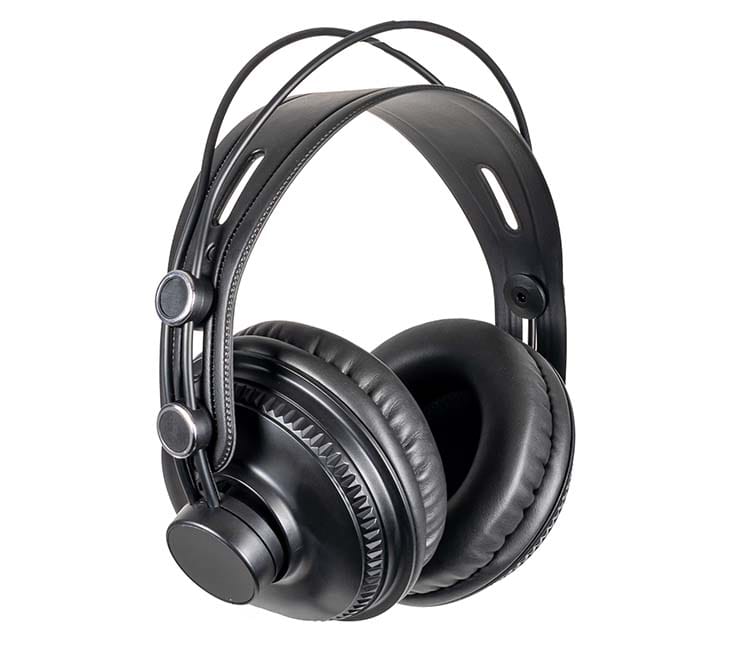
Closed-Back Headphones
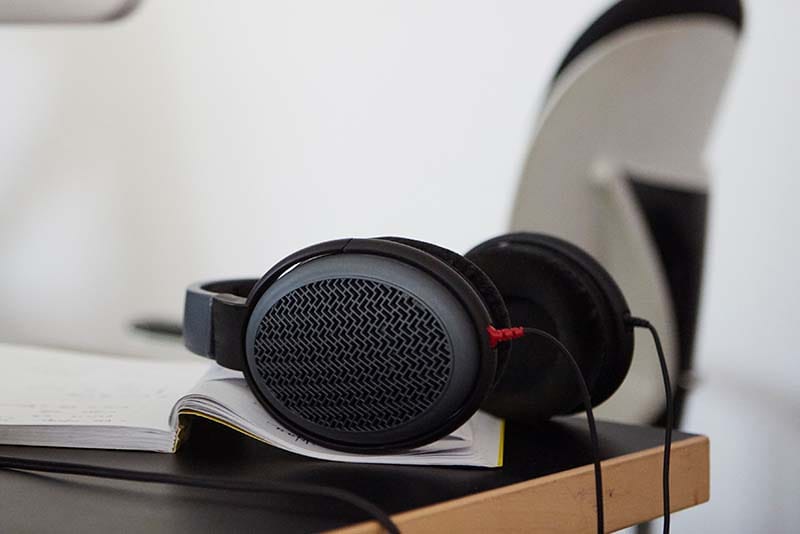
Open-Back Headphones
What Are Closed-Back Studio Headphones?
Closed‑back headphones have sealed ear cups. No vents, no openings, no airflow. The design keeps sound inside the headphones and blocks external noise from getting in.
Strengths
Excellent isolation - perfect for recording vocals or live instruments because you don't hear outside stuff and outside stuff doesn't hear what you hear
Strong low‑end perception - the sealed design reinforces/boosts bass
Versatile - usable for tracking, casual listening, and beginner mixing if needed
Weaknesses
Less natural stereo image - because sound is 'unnaturally' being piped directly into each ear, the soundstage feels “inside your head” and hard panning can be disturbing
Bass can feel exaggerated - this will mess with your interpretation of the low-end which causes mixing problems
Long sessions can cause ear fatigue - sealed cups trap heat and the sound blasting into your ears is tough. Frequent breaks will be needed to stay fresh
Best Use Cases
Tracking vocals
Tracking guitars, bass, or acoustic instruments
Producing beats late at night
Mixing when you don’t have a quiet room
Closed‑back headphones are the “workhorse” of the home studio. If you can only afford one pair and are going to either record or need to isolate what you are hearing, this is usually where you start.
What Are Open-Back Studio Headphones?
Open‑back headphones have perforated or vented ear cups that allow air and sound to pass freely. Instead of isolating you, they create a more natural, speaker‑like listening environment. But those vents also let sound out from your headphones into the room around you.
Strengths
Highly accurate frequency response - Venting and better headphone acoustic design will normally result in a better frequency response curve
Wide, realistic soundstage - instruments feel placed in space with clarity
Better translation - mixes hold up across playback systems
Reduced ear fatigue - airflow keeps your ears cool and the venting of the sound reduces the pneumatic pressure, which means less ear fatigue
Weaknesses
Sound leaks in and out - anyone nearby will hear your mix and outside sound will interfere with your hearing accuracy
Not suitable for tracking - bleed will hit the microphone. Nothing is worse than recording something and getting a good take only to realize that you had your open-back headphones on and they bled into the recording. Speaking from experience here
Requires a quiet environment - noisy rooms distort perception, so these won't work well in an environment like a coffee shop
Best Use Cases
Mixing
Mastering
Critical listening
Ear training
Reference checking
Open‑back headphones are the “truth tellers.” They don’t hype anything, they don’t flatter your mix, and they don’t hide mistakes. They simply reveal what’s actually happening.
That can be intimidating, because your sound is exposed for the good, bad, and ugly. But that is how we get to the truth in our music and elevate our results.
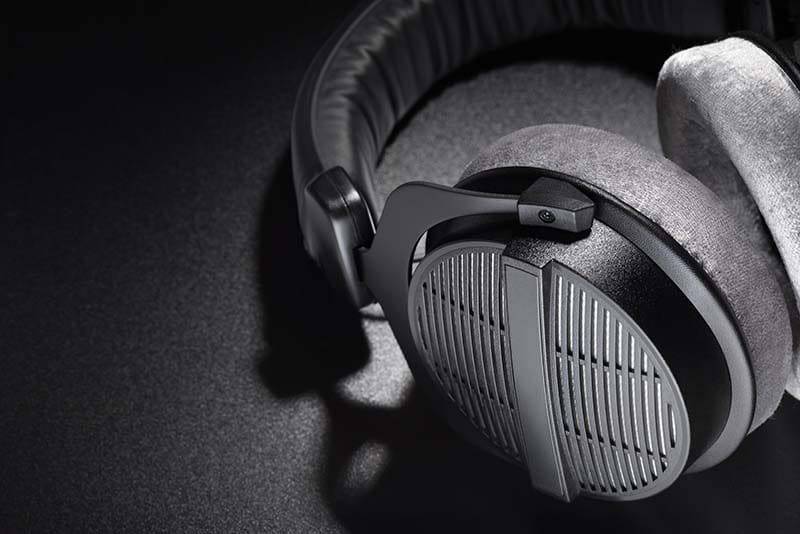
Semi-Open Studio Headphones: The Middle Ground
Semi‑open headphones blend characteristics of both designs - they make for an in-between state. They offer:
More natural soundstage than closed‑back
More isolation than open‑back
Less bass hype
Moderate leakage
Open-Back vs. Closed-Back: Which Should Producers Choose?
Here’s the honest breakdown:
If you’re recording vocals or instruments:
Start with closed‑back headphones. You need isolation and zero bleed.
If you’re primarily mixing:
Go open‑back as soon as your budget allows. Headphone models like the DT 990 accelerate your learning curve dramatically.
If you’re doing both and can only buy one pair:
Choose a mostly neutral closed‑back model (DT 770, ATH‑M40x, etc.) and plan to add an open‑back pair later.
If you want the most natural sound for the least money:
Semi‑open models like the AKG K240 give you a taste of open‑back realism without the price tag.
But before you go run out and buy a pair, keep in mind the other criteria discussed below, because budget, comfort, and the use case are important here.
Why This Choice Affects Translation
Translation is the entire point of studio headphones - your mix should sound consistent everywhere. And when a song doesn't translate, it can be really frustrating. Here’s how design impacts that:
| Design Type | Isolation | Soundstage | Bass Perception | Primary Use Case |
|---|---|---|---|---|
| Closed-Back | High (Sealed) | Narrow / In-Head | Reinforced / Boosted | Vocal & Instrument Tracking |
| Open-Back | Low (Vented) | Wide / Natural | Flat / Accurate | Mixing & Critical Listening |
Closed-Back Translation Issues
Bass often feels louder than it really is
Stereo width feels narrower
Reverb tails are harder to judge
Harshness can hide behind sealed cups
Open-Back Translation Advantages
Midrange accuracy reveals vocal placement
Stereo imaging feels natural
Reverb and ambience are easier to balance
Low end is clearer and less exaggerated
The Bottom Line
Closed‑back headphones are practical.
Open‑back headphones are honest.
New producers often start with closed‑back because they’re cheaper and more versatile - but the moment you switch to open‑back for mixing, your entire understanding of sound changes. You hear depth, space, clarity, and problems you didn’t know existed.
This is why many engineers say: “Your first open‑back headphones are the moment you start actually mixing.”
Mixing Headphones vs. Studio Recording Headphones: Two Different Jobs
Before choosing headphones, you need to understand the two primary roles they play in a home studio:
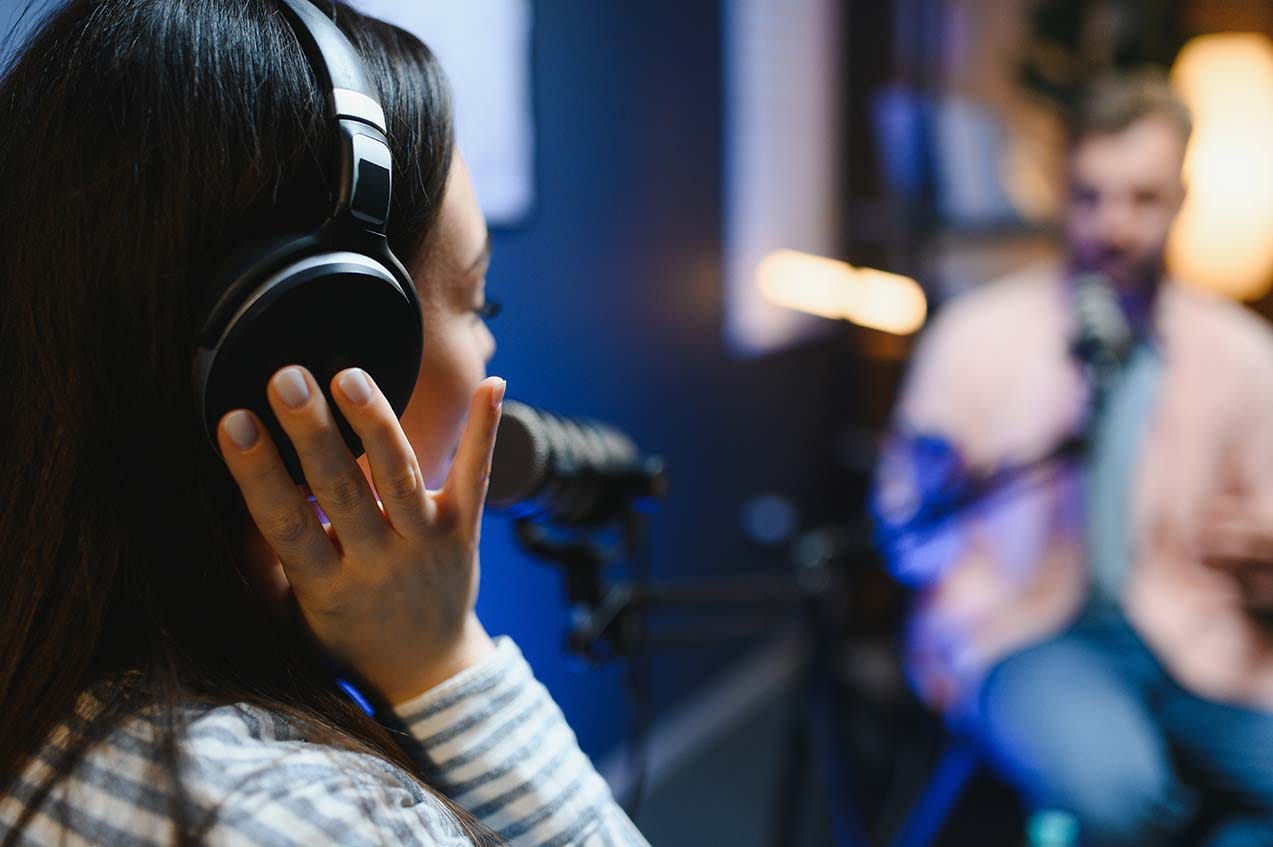
Tracking (Recording)
Tracking headphones are used while recording vocals, guitars, or any live instrument. The priorities here are:
Isolation - so the stuff you hear in your headphones doesn’t bleed into the microphone
Durability - because they get dropped, twisted, and stepped on if we aren't careful
Comfort - especially for wearing them for long sessions
Tracking headphones are almost always closed‑back. They seal around your ears and prevent sound from leaking out.
Mixing
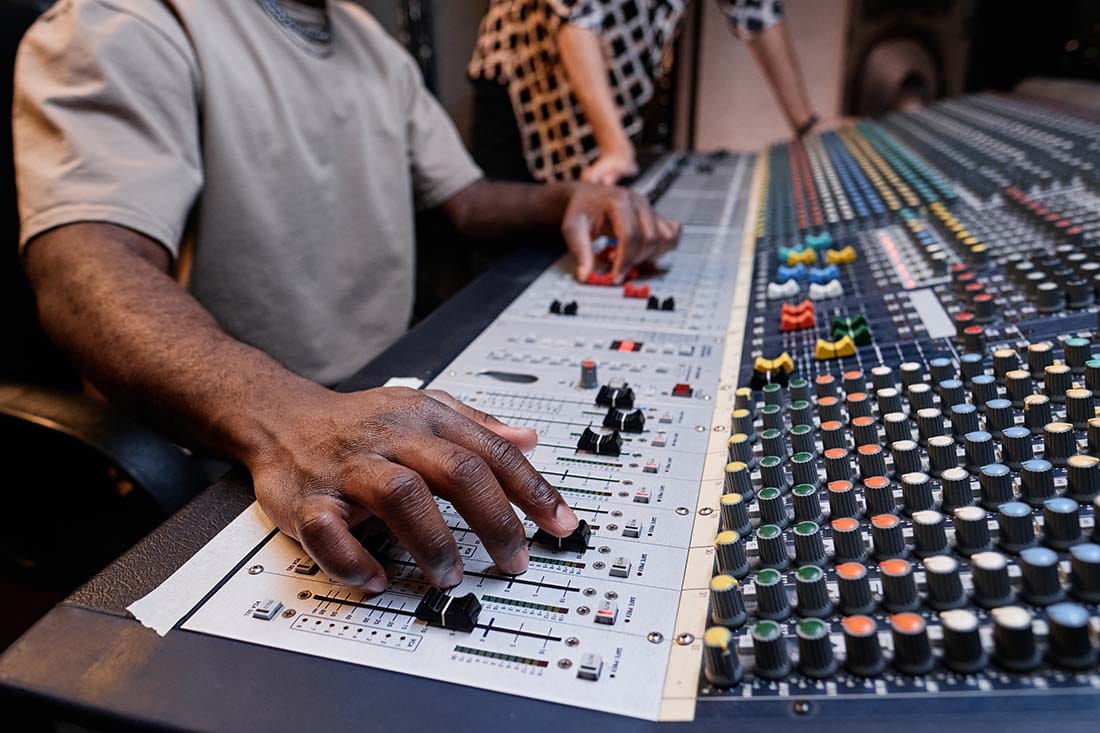
Mixing headphones are used to make critical decisions about EQ, balance, reverb, compression, and stereo imaging. The priorities here are:
Accuracy - having a flat frequency response that doesn’t hype anything so you hear the truth and not boosts or dips
Detail - the ability to hear subtle changes in tone and dynamics
Soundstage - a clear sense of space that helps you place instruments with accuracy
Mixing headphones are often open‑back or semi‑open‑back, which provide a more natural, speaker‑like listening experience.
Can One Pair Do Both?
Yes - but with compromises.
If you’re on a budget and you are going to be recording or need sound isolation, you can absolutely start with one pair of closed‑back headphones that are mostly neutral enough for mixing. But as you grow, you’ll eventually want two pairs: one for tracking, one for mixing.
If you have no plans of recording with a microphone, then you can get straight for the open-back headphones because sound bleed will not be an issue (unless you want to record).
The difference in how you hear between the two types is pretty amazing.
What if I Already Have a Pair?
If you already have some headphones, use the guide here to check and see how they rate. If they are checking the boxes for either tracking or mixing then rock on! And if you happen to have a closed-back pair, you can use those for tracking and then check out possible open-back headphones to add for mixing in the future.
Studio Headphone Comfort: The Overlooked Essential
Comfort isn’t just a luxury - it directly affects your ability to produce music. Have you ever tried to wear an uncomfortable pair of headphones for an extended period of time? Your head or ears start to hurt. What if you wear glasses? The earpieces can dig into the side of your head.
Comfort is a real deal for the music producer who needs to spend longer periods of time working with their cans (headphones) on their head.
Why Comfort Matters
Long mixing sessions cause ear fatigue
Tight clamping force leads to headaches
Poor padding causes heat buildup
Heavy headphones strain your neck
What to Look For
Replaceable ear pads - this is pretty huge for longevity as these can wear out
Low to moderate clamping force - test headphones to see if they fit your head shape - some people have different shaped heads
Lightweight design - less than a pound (<450 g) is ideal
Velour pads for mixing, leatherette for tracking
If you’re mixing for hours, velour pads are a game‑changer. They breathe better and reduce sweat, which keeps your focus sharp.
And we've all been there sitting in front of the computer only to look up and a few hours have passed without removing the cans - comfort matters.
Frequency Response Curves: How Studio Mixing Headphones Translate
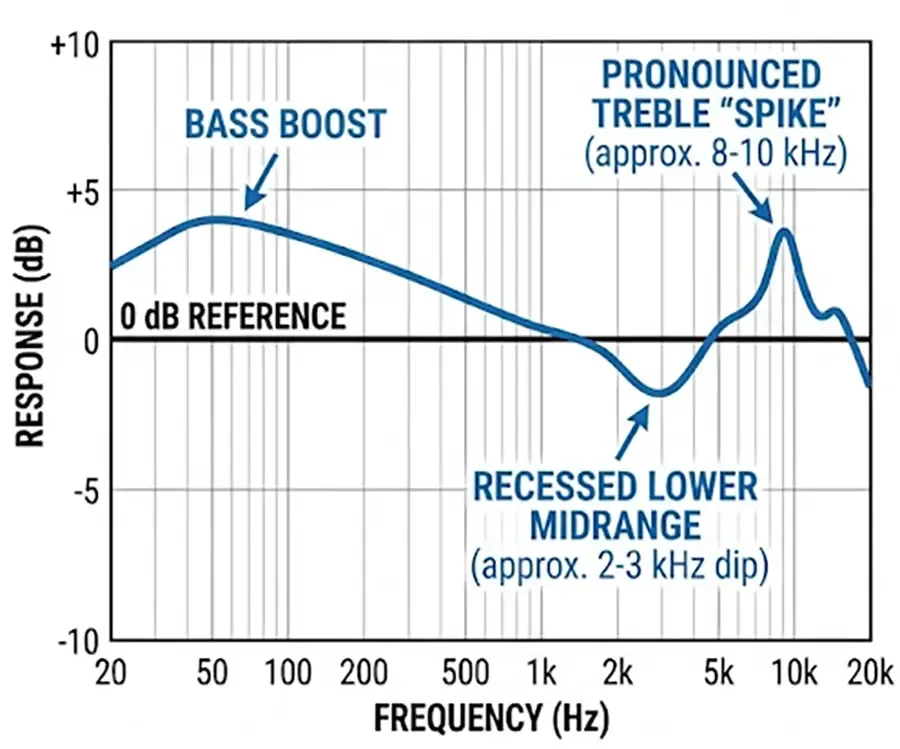
The most important factor in choosing headphones for music production is frequency response - how the headphones reproduce lows, mids, and highs.
Headphones are mechanical devices and depending on how they are constructed both in material and design, they will accent or punish certain frequencies. Even very expensive headphones can vary across the frequency spectrum by 6 dB or more!
Can you imagine hearing 2k at -6 dB and 5k at +6 dB? That is a twelve-decibel difference. That would have the 5 kHz sounds about more than twice as loud as the 2 kHz sounds!
Consumer Headphones vs. Studio Monitor Headphones
Consumer Headphones
Boosted bass
Scooped mids
Sparkly highs
“Fun” sound, terrible for mixing
Look - consumer headphones can be cool and all, but they are not what should be used for serious music production. They try and make everything sound good, but that is not what you want. Accuracy is what you want.
Studio Headphones
Flatter response
More midrange detail
Controlled bass
Honest highs
Imagine putting on a pair of headphones that shined a light right into your song's problems. That's right - the problems.
Because studio headphones reveal problems instead of hiding them, you can fix those issues and end up with a better song.
What New Producers Should Aim For
When you are starting out, you want headphones that
Don’t exaggerate sub‑bass
Don’t scoop the mids (where vocals and instruments live)
Don’t add artificial brightness
Don’t smear transients
A good studio headphone should feel slightly boring - because accuracy is boring. I am talking about 'unremarkable' and 'neutral.' You are wearing these because you want to hear everything clearly, and that can feel kind of boring to the average person.
But boring translates.
How to Test if Your Studio Headphones Translate
Translation is the bane of many a producer, especially beginners. There is nothing more crushing than the defeat of spending hours and hours working on a song only to play it in a car and everything sounds wrong.
Translation means your mix sounds consistent across:
Car speakers
Bluetooth speakers
Earbuds
Studio monitors
Laptop speakers
TV soundbars
Signs Your Headphones Translate Well
Your low end doesn’t disappear in the car
Your vocals sit correctly everywhere
Your reverb isn’t too loud or too quiet
Your mix doesn’t sound harsh on earbuds
Your stereo width feels natural, not exaggerated
Signs Your Headphones are Lying to You
Your mixes are always too bass‑heavy
The instruments don't feel in balance with one another
Your vocals sound buried on other systems
Your highs are harsh outside your headphones
Your mixes collapse on small speakers
Nail That Translation
Good headphones reduce these problems dramatically - especially when paired with reference tracks and occasional cross‑checks on monitors. But this means that you are searching for a pair that sound clean and as flat as possible.
That kind of thing is not meant to be sexy - it's meant to be accurate. Find the accuracy and work around that to nail your song translation.
Best Headphones for Mixing, Mastering, and Recording by Price Tier
Below are the best headphones that do a good job at translating, organized by cost tier. These are models widely used in home studios, professional studios, and by engineers who rely on headphones daily.
Let's Be Honest About the Word "Best"
I need to push the pause button for a moment here - this is important.
If you search the internet for studio gear, every blog promises to show you the "best" headphones. But let’s clear the air right now: there is no single, objective 'best' pair of headphones for every single human being.
What works perfectly for an engineer tracking live drums in a commercial space will completely ruin a mix for a bedroom producer trying to balance electronic sub-bass on a tight budget.
In this guide, when I use the word "best," I am not talking about the most expensive status symbols. I mean the optimal price-to-performance tools that solve the two biggest bottlenecks for producers: minimizing physical ear fatigue and ensuring your mixes actually translate to the outside world.
Keeping all of this in mind, let's hit these pricing tiers:
| Model | Type | Price Tier | Sound Character | Best For |
|---|---|---|---|---|
| Audio-Technica ATH-M40x | Closed-Back | Under $150 | Neutral / Slight Treble Boost | Tracking & Budget Baseline |
| Sennheiser HD280 Pro | Closed-Back | Under $150 | High Isolation / Mid Clarity | Vocal & Loud Tracking |
| AKG K240 Studio | Semi-Open | Under $150 | Spacious / Light Midrange | Budget Spatial Panning |
| Beyerdynamic DT 770 Pro | Closed-Back | Under $300 | Punchy Bass / Crisp Highs | Comfortable Extended Tracking |
| Beyerdynamic DT 880 Pro | Semi-Open | Under $300 | Analytical / Linear Mids | Detailed EQ Adjustments |
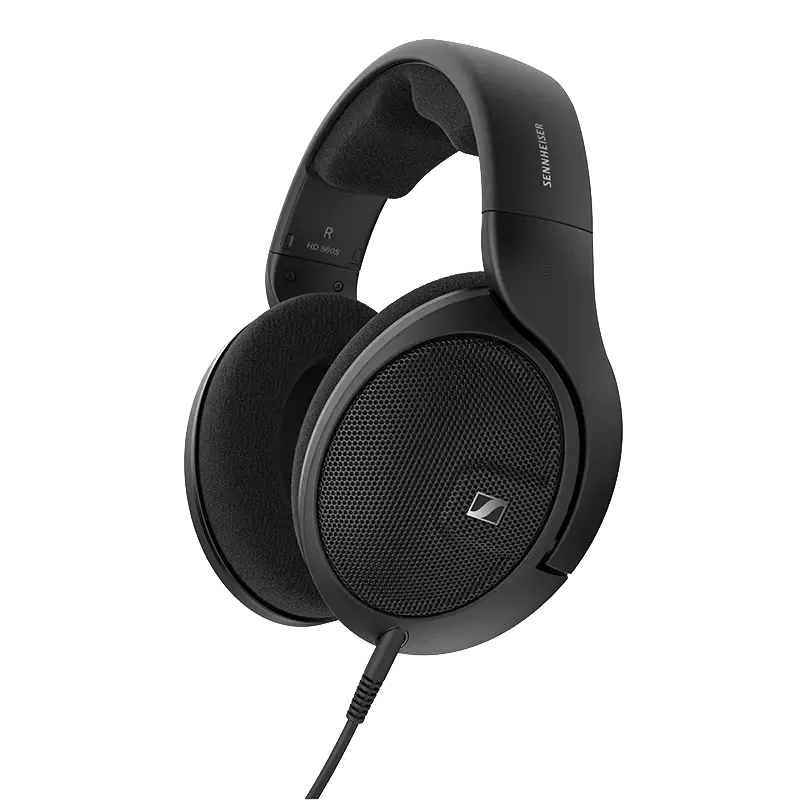
| Sennheiser HD 560S | Open-Back | Under $300 | Flattest Value / Honest | Mixing & Translation |
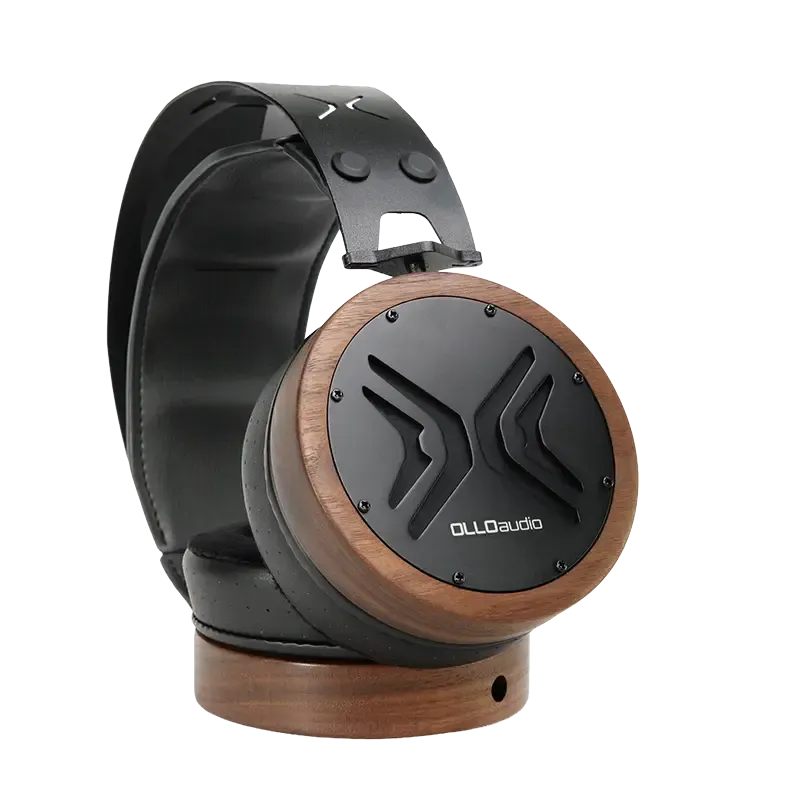
| OLLO Audio X1 | Open-Back | $500+ | Flat / Calibrated Neutral | Clinical Mastering & Mixing |
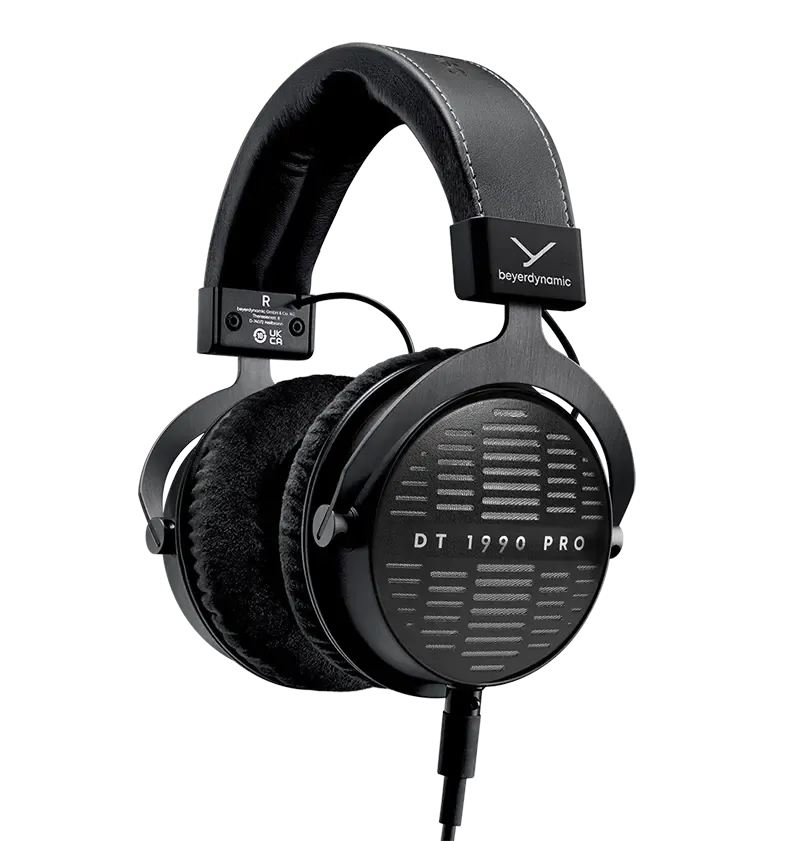
| Beyerdynamic DT 1990 Pro | Open-Back | $500+ | Fast Transients / High Detail | Pro Reference Mixing |
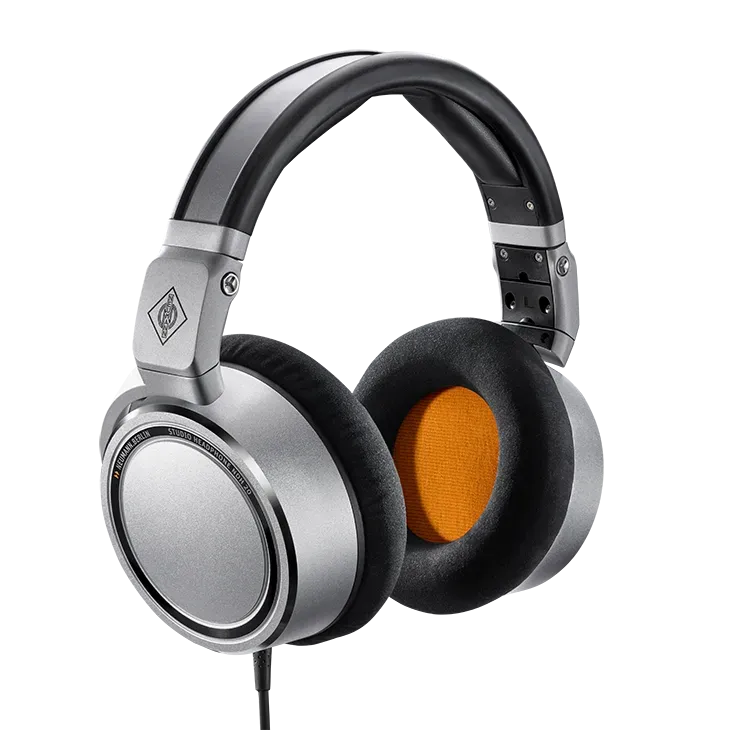
| Neumann NDH 20 | Closed-Back | $500+ | Isolated / Monitor Speaker DNA | High-End Pro Isolation |
Best Budget Studio Headphones (Under $150)
Perfect for new producers, budget studios, and anyone starting out.
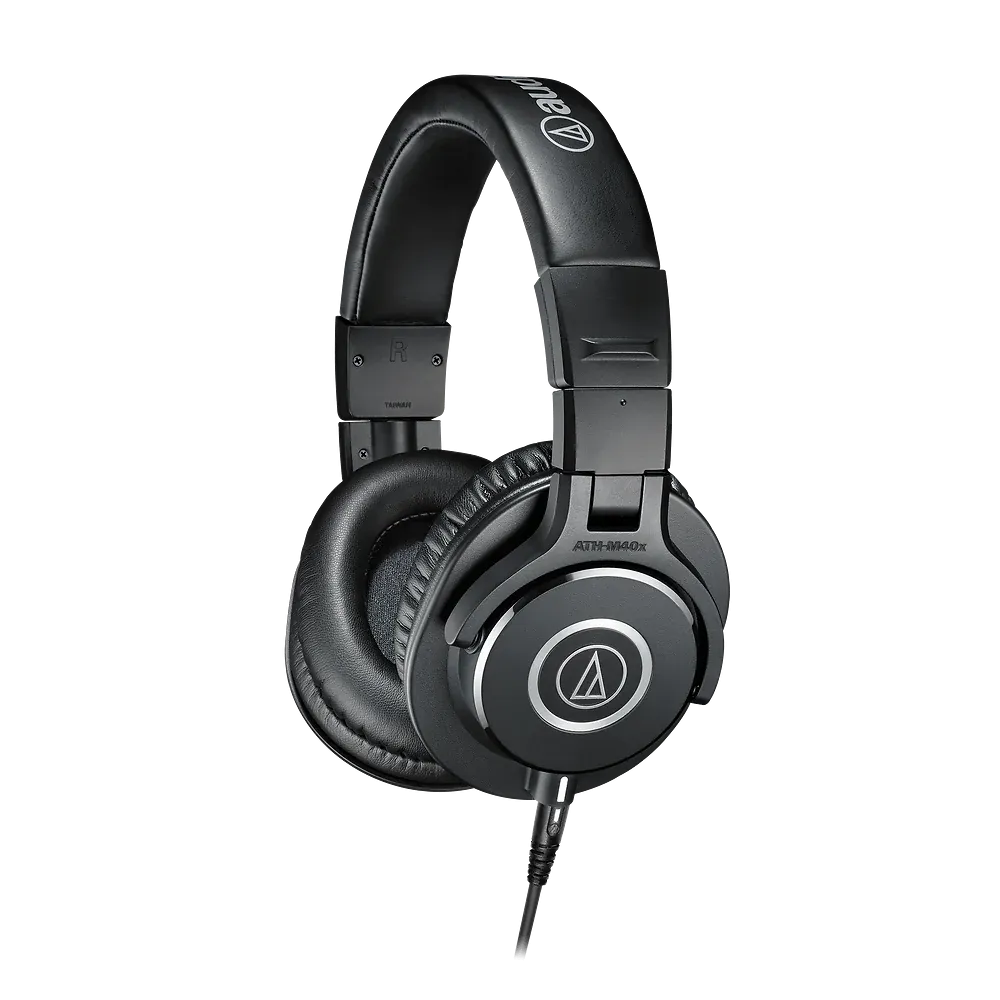
1. Audio-Technica ATH‑M40x (Closed‑Back)
Why it's great: Most people instinctively jump for the flashier M50x because it gets all the hype online, but the M40x is actually the more honest tool for mixing. The low end isn't artificially boosted to make commercial music sound exciting - it just stays mostly flat and neutral so you aren't guessing your bass levels. It has a durable build that can handle being tossed around the studio, and you can swap out the ear pads down the road when they get worn. While a solid value, the high-end of the frequency response curve can get boosted, so pay attention there.
Best for: Clean live tracking and establishing a reliable, colorless baseline for beginner mixing.
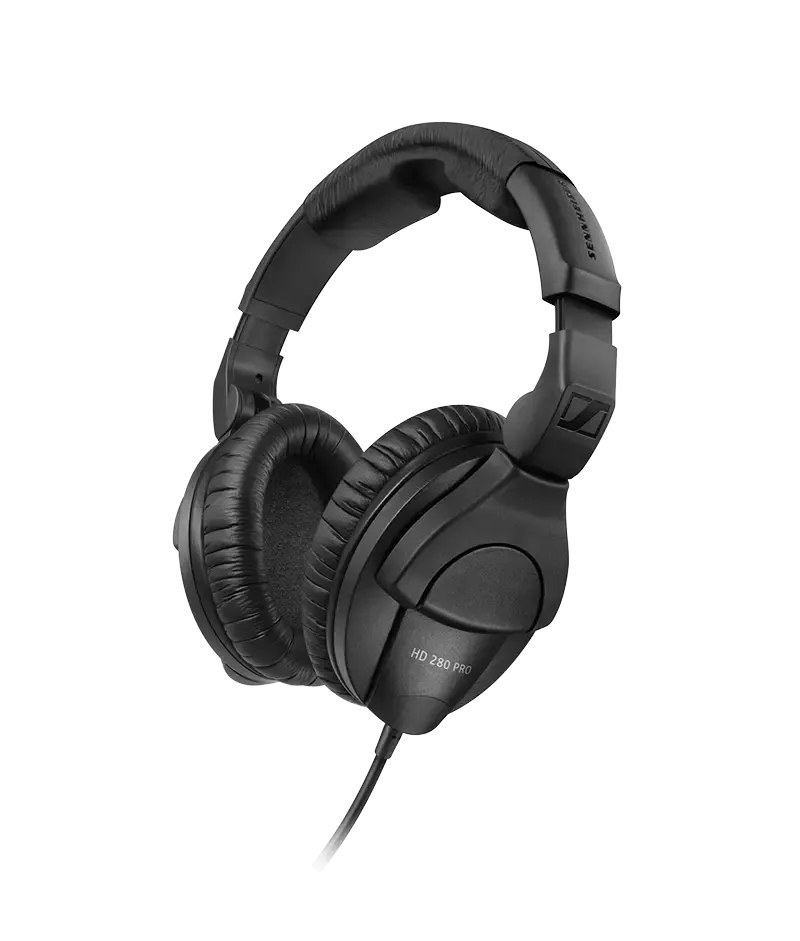
2. Sennheiser HD280 Pro (Closed-Back)
Why it's great: This legendary industry staple provides massive passive noise isolation that keeps your monitor mix completely contained while offering solid midrange clarity. Its unyielding, high-isolation build ensures you can capture vocals and acoustic instruments with pristine definition without worrying about click-track bleed into hot microphones. The high-end is where you will need to pay attention on these, and look out for a potential low-end boost with these cans.
Best for: High-isolation vocal and instrument tracking sessions where bleed control is critical.
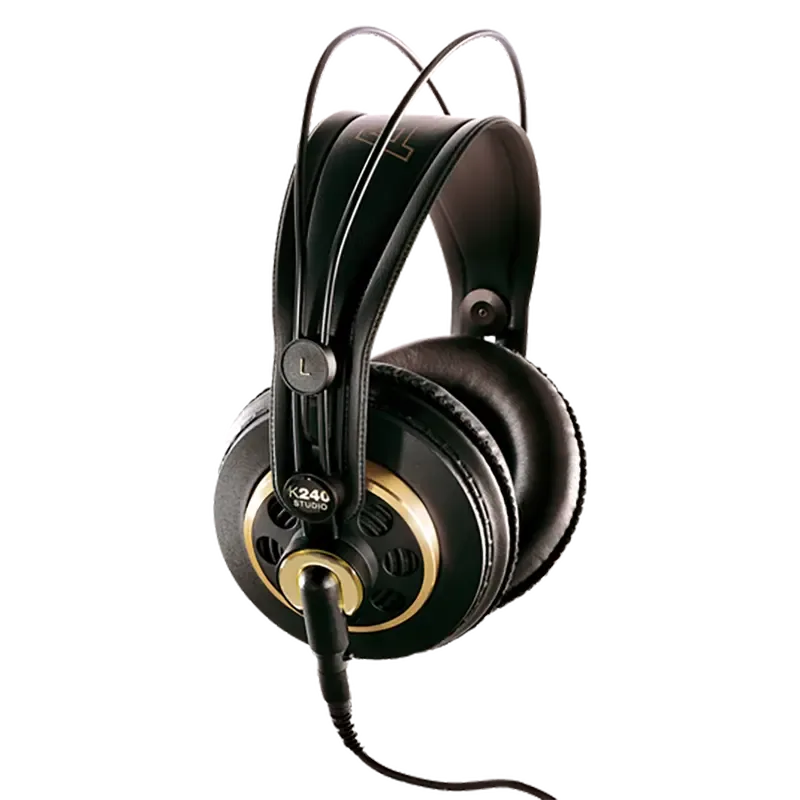
3. AKG K240 Studio (Semi-Open)
Why it's great: Operating with a nice and light, self-adjusting headband built for comfort, it introduces producers to an expansive, three-dimensional soundstage without the flagship price tag. Its semi-open architecture dramatically reduces internal cup reflections, offering a pretty natural midrange and speaker-like spatial depth but the high end can get a little funky, so pay attention to that.
Best for: Budget-conscious beginner mixing, panning adjustments, and spatial depth placement.
Best Studio Headphones (Under $300)
A major step up in accuracy and comfort. Ideal for serious new and intermediate producers.
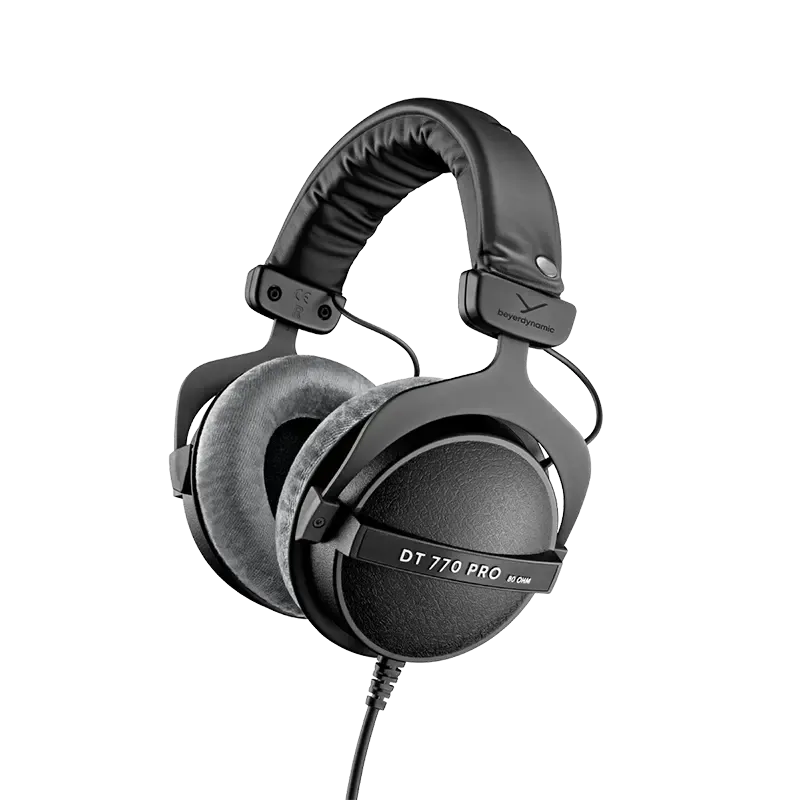
1. Beyerdynamic DT 770 Pro (Closed Back)
Why it's great: A global studio icon celebrated for its tight, punchy low-end extension and plush, velour-padded ear cups are super comfortable - that makes long editing sessions much better. The closed-back enclosure manages fast transients with clinical precision while keeping you sonically isolated from environmental background noise. If I am going to track something in the studio - or watch a show at night when I need the sound isolation, I grab my DT 770s. But if I were to mix with these, I would need to watch for some low-end boost and some high-end frequency response wiggles north of about 3 kHz.
Best for: Solid tracking performance with the versatility to handle intermediate mixing tasks.
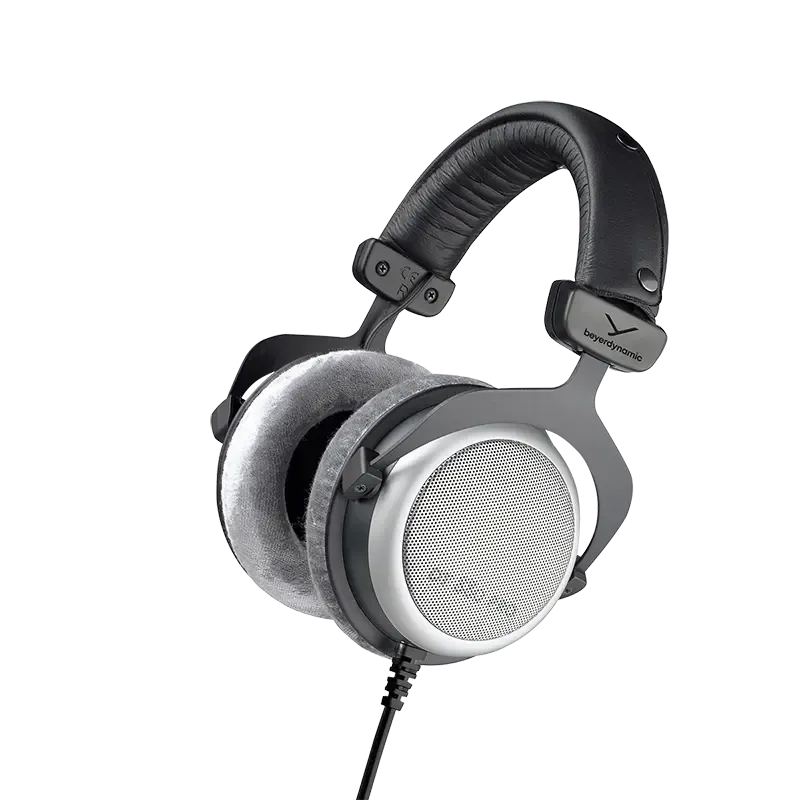
2. Beyerdynamic DT 880 Pro (Semi-Open)
Why it's great: It delivers an incredibly transparent, linear frequency curve that uncovers micro-details and tames top-end harshness via its analytical semi-open design. This layout provides a pretty solid audio spectrum accuracy that makes delicate balancing and equalization choices easier during long studio sessions. While these are comfortable, they suffer a bit in the frequency response curve side of things - the low-end drops off with the upper mids (around 2-3 kHz) and the high end can get pretty crispy -be aware.
Best for: Detailed mixing and EQ adjustments with the flexibility for occasional tracking duties (watch the bleed potential).
3. Sennheiser HD560S (Open-Back)
Why it's great: This open-back powerhouse offers a ruthlessly honest, flat response curve, making it one of the absolute best value-to-accuracy headphones under $300. It utilizes unique angled transducers designed to emulate the physics and spatial projection of high-end desktop speakers, providing unmatched translation security. From a frequency response curve standpoint, there is some low-end roll-off, but a good degree of flatness up until about the roughly 3 kHz range. Then, expect some high-end wigglies that may sound a bit sharp.
Best for: Mixing, mastering reference, and quite solid translation insurance.
High-End Reference Headphones (Around $500+)
Professional-grade accuracy without entering the $1,000+ audiophile zone.
1. Ollo Audio X1 (Open-Back)
Why it's great: Hand-built boutique mixing headphones. They feature an incredibly neutral dynamic driver and come with a unit-specific, serial-number-matched software calibration file to ensure absolute frequency precision. These are incredibly flat on the frequency spectrum with an amazing soundstage experience. And when I say incredibly flat - let's say I was absolutely blown away by the neutrality of these cans - with a pair of these, you could operate cleanly assuming you did not need isolation.
Best for: High-level mixing, editing, and clinical mastering corrections.
2. Beyerdynamic DT 1990 Pro (Open-Back)
Why it's great: Incredible detail retrieval, exceptional stereo imaging, and a lightning-fast transient response. They also include interchangeable analytical and balanced tuning pads to shift the acoustic profile. On the frequency response graph, these gorgeous cans hold themselves super steady until you get into the highs around 8 kHz.
Best for: High-level mixing, editing, and clinical mastering corrections.
3. Neumann NDH 20 (Closed-Back)
Why it's great: Neumann took the acoustic engineering DNA of their legendary studio monitors and crammed it into an isolated, sealed enclosure. They offer astonishingly flat low-end extension and massive isolation from the outside world. With these closed-back cans, you'll get some dips around 2 kHz, give or take, a bit of bass boost, and a little bit of high-end boost, but overall, things are pretty controlled. If you were in this price range looking for non-isolation open-back headphones, the other options will serve you better, but if you need that isolation and are stuck with closed-back cans, give these a fair shake.
Best for: High-level mixing and precision editing when absolute environmental isolation is mandatory.
How to Get the Most Out of Your Studio Mixing Headphones
Let's be clear here - even the best headphones won’t magically make your mixes translate. You need ear training, a repeatable creative workflow that keeps your projects moving forward, and most importantly: practice!
Ear Training
If you wanted to compete in a sporting event, would you go in cold with no skill, strength, or agility training? Not a chance. So, why do the same with your ears?
Ear training is absolutely critical to get your music-making game up to par.
Now, don't get me wrong, just like learning any new skill, ear training can be kind of a frustrating pain when you start. But soon, you will be able to start hearing a different level of clarity.
Why else is this important? Because you learn your headphones or studio monitors. That's right - it takes time to learn your environment. Buying new gear won't fix your ears, man.
Take the time to get to learn your equipment and as your skills improve the gear matters much less. Here are some example ear training resources that you might consider:
Ear Training Resources
SoundGym - an immersive-type free/paid ear training site and community with a wide variety of ear challenges. Jim's note: don't get caught up in the gamification here - focus on hearing and learning, not 'leveling up' or 'getting a better score.' Nobody asks me my SoundGym score if I deliver a mix.
Mastering the Mix EQ Academy - while this tends to focus on ear training at the song level, it is a cool way to up your frequency recognition game.
TrainYourEars - An EQ-only training system that is a pay-once and run locally setup. Given the importance of frequency training, this one should not be discounted.
Quiztones - A frequency-only testing system only for the iOS side of things.
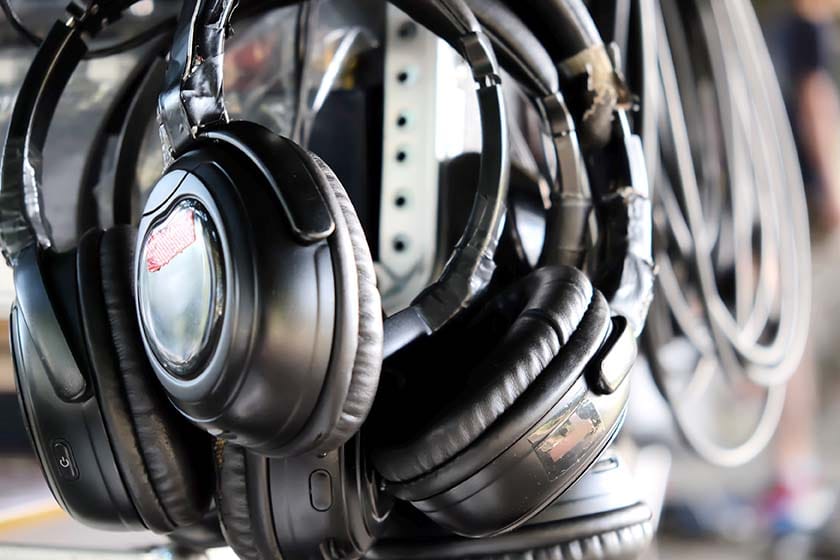
Use Reference Tracks
Did you ever play one of those 'spot the difference' games as a kid? Well using a reference is that for your ears. Here's how you do it:
Compare your mix to professionally mixed songs in your genre. This not only helps you to calibrate your ears, but also gives you bonus ear training by listening for what is really going on inside of a song. It's like dissection without all the biology, man - that's pretty cool.
Learn Your Headphones' Quirks
Did you notice that I mentioned a 'frequency response graph' or 'curve' in those headphone examples? That's because it is very, very hard to get a pair of headphones close to flat across the entire frequency spectrum (how does Ollo Audio do it, you know?).
Does that mean your headphones suck if they aren't flat? No - absolutely not.
What it does mean is that you need to spend some extra time learning how your headphones sound and make 'mental adjustments' for translation. And to do that, you need to spend some real quality time with your cans.
Spend time listening to:
Music you know well
Reference mixes
Raw recordings
Cross-Check on Multiple Systems
Verify your translation efforts to figure out how you need to tweak those 'mental adjustments' from earlier. Even five minutes on earbuds, laptop speakers, or car speakers can save you long hours trying to fix mistakes later.
When you are learning your gear, test yourself more often than you think you should and make those micro adjustments and figure out how to hear your headphones as flat.
For the Love of Pete - Get Headphone Correction Software
You want to know the shortcut to getting those micro-adjustments taken care of speedy fast? Get some darn headphone correction software, assuming you do not have individually calibrated headphones.
Remember those frequency response curves I mentioned earlier? Well, this kind of software will make adjustments to those issues that the headphones have and make corrections. Better versions of the software will also allow you to put your own tweaks onto that correction curve with those 'micro adjustments' we just talked about.
dSONIQ Realphones - fantastic interface and correction curve library. This one is really solid.
Sonarworks Sound ID - generally accurate correction software.
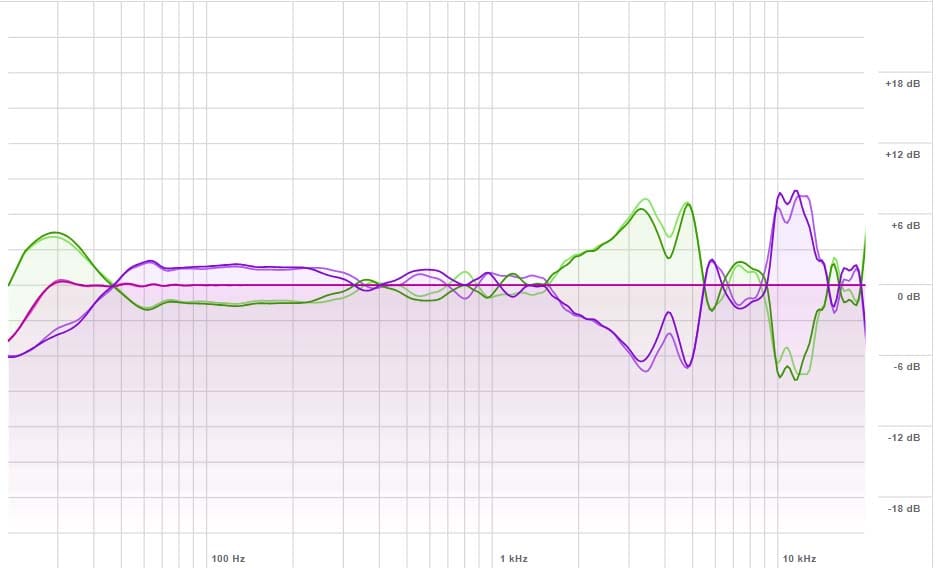
Software interface shown: SoundID by Sonarworks
Final Takeaway: Buy Headphones That Tell You the Truth
Look, if you are going to be serious about music production/mixing/mastering, then you need gear that is not going to lie to. And if you are going to be leaning into a pair of headphones as your way to hear your music work, then your headphones are one of the most important tools in your studio.
They shape your decisions, your mixes, and your growth as a producer. The right headphones don’t make your music sound better - they make you better. I cannot emphasize this enough: a solid pair of headphones and your practice listening to them makes you better.
If you choose a pair that’s comfortable, accurate, and honest, your mixes will translate across every system, and you’ll develop your ears faster than you ever expected.
Frequently Asked Questions
What is the difference between open-back and closed-back studio headphones?
Closed-back headphones feature sealed ear cups that isolate sound, making them perfect for recording vocals or live instruments without microphone bleed. Open-back headphones have vented cups that allow air and sound to pass freely, providing a highly accurate, natural soundstage that is ideal for mixing and mastering, though they cannot be used for recording due to sound leakage through those vents into recording microphones.
Can I use regular consumer headphones for music production?
That is not recommended. Most consumer headphones are designed to hype the bass, scoop the midrange, and artificially sparkle the highs to make music sound "fun." Because they lie to you about the true frequency balance, mixes made on consumer headphones usually fall apart and sound muddy when played in a car or on standard speakers.
Do I need two different pairs of headphones for a home studio?
Ideally, yes, but only if you are planning on recording with microphones. You need closed-back headphones for tracking to prevent audio bleed, and open-back headphones for the most accurate mixing decisions. If you are on a strict budget and need to do both, you can start with a neutral pair of closed-back headphones and add an open-back pair later as part of how you expand your studio.
Why does my mix sound great in my headphones but terrible in the car?
This is called a translation issue. If your headphones artificially boost the bass, you will naturally mix your low-end too quietly to compensate. When you play that mix in a car, the bass disappears (because it was turned down in the mix). Using flat, accurate studio monitor headphones ensures that the decisions you make in your DAW sound consistent across all outside playback systems.
What is headphone correction software?
It's really tough to manufacture headphones with a perfectly flat frequency response. So, headphone correction software (like dSONIQ Realphones or Sonarworks SoundID) applies a digital EQ curve to your master output. This software flattens out the unique quirks and frequency boosts of your specific headphone model, giving you a highly accurate, neutral sound for mixing.
Where to Go Next
We have covered a healthy amount of information in the world of headphones here. Here is what to do next:
If you already own a pair of headphones that fits in with the kind of examples that were mentioned above, then rock on - go practice with them like I discussed here.
If you do not already own a pair of headphones and you are pursuing some to get your music making journey firing on all cylinders, then go test headphones. That's right - go to a store that has these kind of headphones, assuming one is available near you, and test them. Put them on your head and see if they fit and how they sound. Compare them, ideally with the same musical material, so you can hear how they might be neutral or not-so-neutral. Then, depending on your budget, purchase the ones that make the most sense for you.
Once your headphone monitoring situation is sorted out and you're ready to see how a song actually goes from a raw idea to a finished master, grab the Embervane Sparkflow Map. It’s a free, 35-page deep dive blueprint waiting for you.
And as you get into the thick of it and start putting your headphones to work, you can jump straight into the free MIDI Madness Tier 1 course to up your music creation game and get things done.
Now go have some fun with your headphones and making music!
Found this guide helpful?
Spread the word and share with another creator.
Return to Essential Gear for Home Music Production Topic Hub
About the Author

Jim is the creator of Embervane - a lifelong music maker with a curiosity‑driven approach to creativity and learning. He has been playing drums since age nine and composing seriously since 2018, continually refining his craft through study, experimentation, and hands‑on practice.
With a background in chemistry and more than two decades of studying behavioral psychology, Jim brings a unique blend of scientific thinking and human understanding to music education. He beta‑tests tools for companies like Mastering the Mix, Kit Plugins, and Soundiron, which keeps him close to the evolving landscape of modern production.
Jim isn’t a celebrity producer or award‑winning engineer - he’s a creator who remembers exactly what it feels like to struggle, learn, and grow. His mission is to help other music makers build clarity, confidence, and momentum in their craft.
Jim is the creator of Embervane - a lifelong music maker with a curiosity‑driven approach to creativity and learning. He has been playing drums since age nine and composing seriously since 2018, continually refining his craft through study, experimentation, and hands‑on practice.
With a background in chemistry and more than two decades of studying behavioral psychology, Jim brings a unique blend of scientific thinking and human understanding to music education. He beta‑tests tools for companies like Mastering the Mix, Kit Plugins, and Soundiron, which keeps him close to the evolving landscape of modern production.
Jim isn’t a celebrity producer or award‑winning engineer - he’s a creator who remembers exactly what it feels like to struggle, learn, and grow. His mission is to help other music makers build clarity, confidence, and momentum in their craft.


©2026 Embervane LLC. All rights reserved. Embervane™ is a trademark of Embervane LLC.